KitchenSquire is invitation only while it is being tested. If you have been invited, sign in with the address the invitation went to. Not invited? Ask to be let in — leave your address and what you find hardest about planning meals.
From meal ideas to meals on the table
Screens shown with example recipes.
Screenshot unavailable
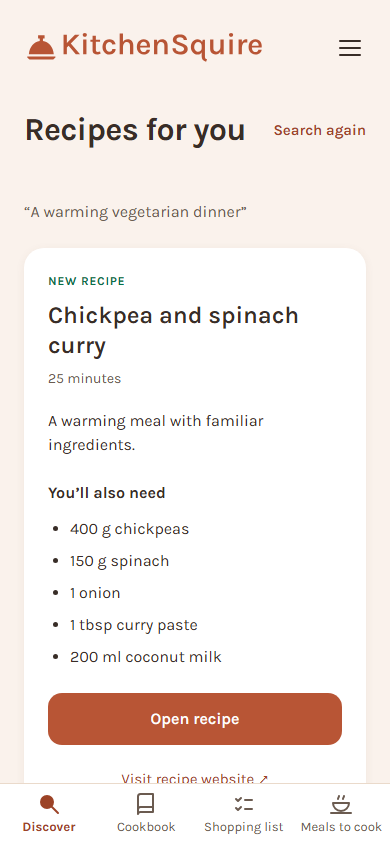
Discover your next meal.
Tell Discover what ingredients you have or what you feel like eating. Find existing recipes in your cookbook and on recipe websites.
Screenshot unavailable
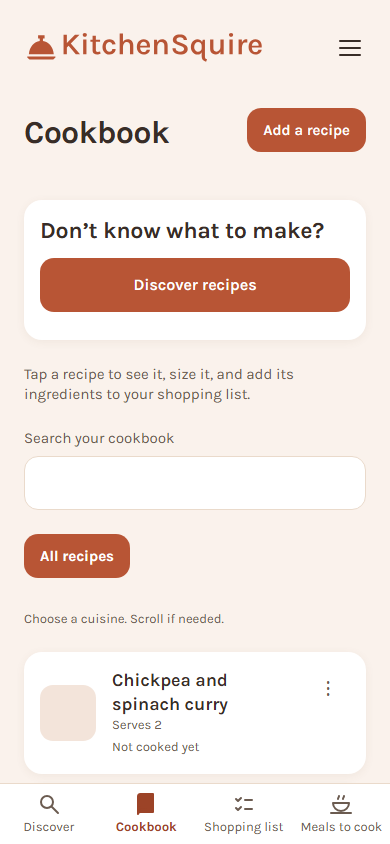
Keep your favourites together.
Save recipes from websites, social posts, photos or text. Your household has one cookbook to come back to when you plan the next shop.
Screenshot unavailable
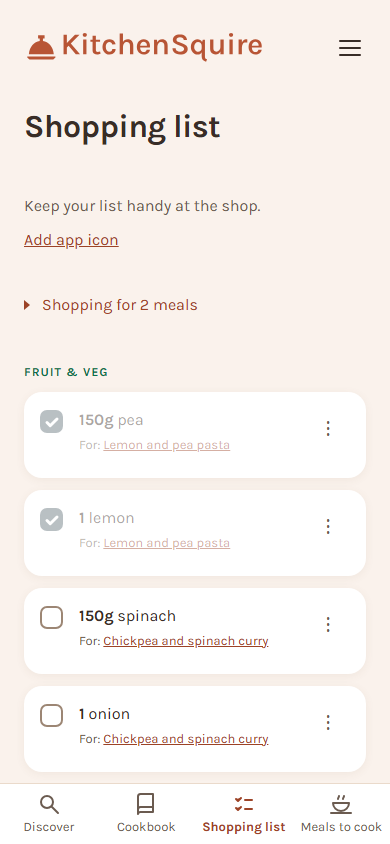
Several meals. One shopping list.
Choose your meals and amounts, check what you already have and add household extras. Take the list to the shop and tick groceries off as you go.
Screenshot unavailable
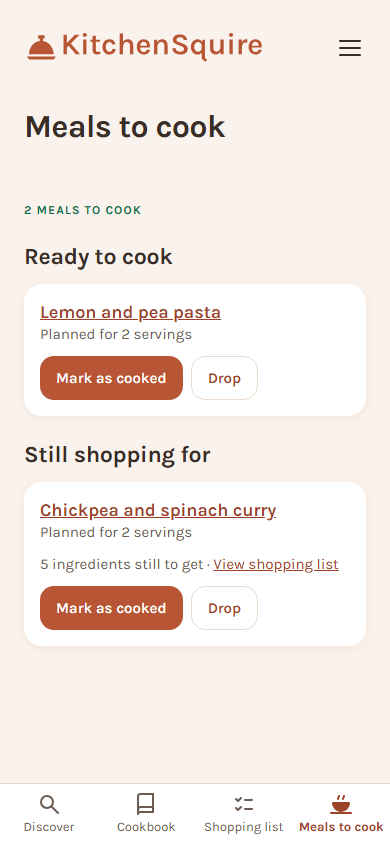
See what is ready to cook.
Your selected meals stay together. See which are ready and which still need shopping, open a recipe and mark the meal as cooked when you are done.
What it is for
Find something to cook
Meal ideas that fit your day
Tell Discover what ingredients you have or what you feel like eating. Speak or type your request to find existing recipes in your cookbook and on recipe websites. You choose the meals you want to make.
Turn meals into a shop
A weekly plan without the list-making
Choose your meals and adjust how much you need. KitchenSquire brings their ingredients into one shopping list, grouped by aisle. Remove what is already in the cupboard. Add anything else the house needs and tick things off as you shop.
Make it your household's
Favourites your household can come back to
Keep recipes from links, social posts, photos, PDFs or text in one cookbook. Invite the people you live with to use the same recipes and shopping list, whether they plan the meals, do the shopping or cook.
How it works
Find or save a recipeUse Discover for new meal ideas, or add a favourite from a website, social post, photo, PDF or text. Save the recipes you want to cook.
Choose your meals and amountsPick meals from your cookbook for the week ahead. Set how much you need for each one and add its ingredients to the shopping list.
Check the cupboard, then shopYour selected meals become one list. Remove what you already have, add extras and tick off groceries in the shop or while placing an online order.
Cook when you are readyMeals to cook shows what is ready and what still needs shopping. Open the recipe, follow the method and mark the meal as cooked when you are done.
Your cookbook stays yours
No adverts, and nothing on any screen trying to sell you something.
Your cookbook comes with you. One download gives you every recipe as a page that opens on any computer with KitchenSquire switched off, with the ingredients, the method, your notes and the photographs.
Nothing about you or your cooking is sold to anybody, or used to advertise to you. A short list of services runs this - signing you in, reading a recipe, hosting, backups - and the privacy page names every one.
You can delete your account and everything in it yourself, without asking anybody. A backup taken before you left can hold a copy for up to 6 months afterwards, which the privacy page explains in full.
The privacy page says exactly what is stored, who else sees it, and how to have it all deleted. It is readable without signing in, because the person who needs it has not signed in yet.